Optional apps
The app manager installs only applications prepared in the build-time catalog. It cannot install an arbitrary Git repository at runtime.
Current catalog
The authored catalog currently contains ERPNext 16.53.0, Frappe CRM 1.85.1, Frappe Wiki 3.2.1, and Frappe Vault 1.2.0. Every entry is marked experimental and pinned to a specific Git commit; runtime/apps/catalog.json is the source of truth.
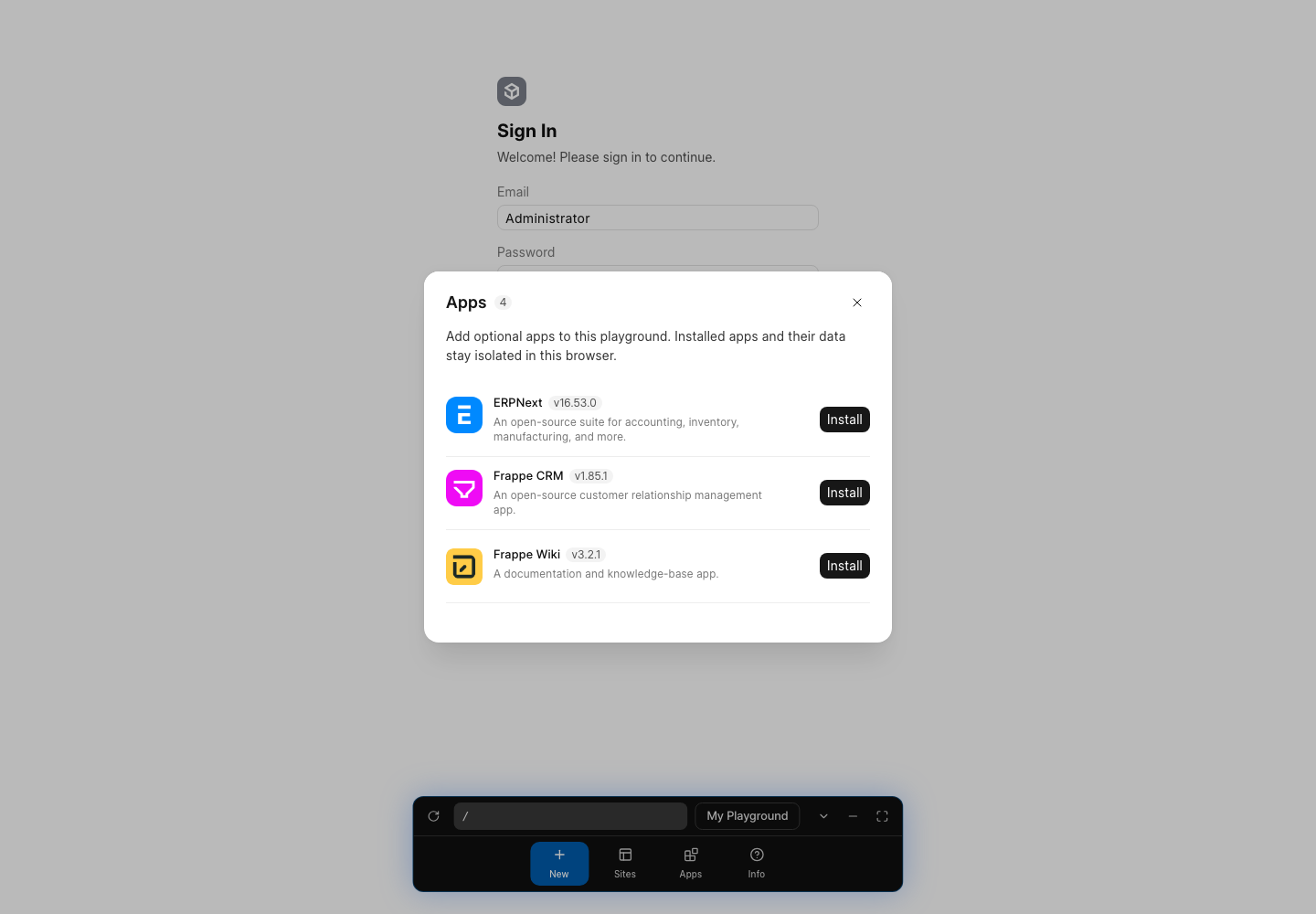
Open Apps from the dock and select Install beside a catalog entry. The operation applies only to the active playground.
Installation lifecycle
- The shell loads
/apps/catalog.jsonand validates its generated metadata. - An install request crosses the versioned worker protocol and receives a generated request ID. The shell allows up to ten minutes for its result.
- The server worker installs declared Python dependencies with
micropipusingkeep_goingwhere applicable. - It downloads the prepared archive, verifies both its byte length and SHA-256 digest, then unpacks it into the Pyodide filesystem.
- Frappe’s install lifecycle updates the current site.
- The worker clears Frappe’s app, metadata, routing, and controller caches, then persists the database and installed-app list together. Only the Frappe view refreshes; the Python worker and outer playground page stay running.
An uninstall calls Frappe’s remove_app(..., yes=True, no_backup=True), then persists the new app list. Mutations are serialized. If a mutation fails, the worker restores its in-memory database backup and previous installed-app list, then clears caches against the restored state. It does not roll back packages or archive files already added to the shared virtual environment; the authoritative installed-app list controls which apps are prepared on the next boot.
After an app-manager install or uninstall, the Frappe view returns to the site root so it cannot stay on a removed app’s route. The instance, saved data, and login session are preserved, without reloading Python or downloading installed apps again. App installs initiated by URL boot flags occur before the initial iframe navigation and do not add a view refresh. Imported Python modules remain resident; Frappe’s installed-app list controls active hooks and API access. Arbitrary app monkey patches cannot be undone by clearing caches and require explicit compatibility handling.
Compatibility constraints
Apps must be deliberately adapted and built for this environment:
- Python dependencies need Pyodide-compatible or pure-Python wheels.
- Frontend assets must be built ahead of time and published under the declared asset prefix.
- Code that requires MariaDB semantics, Redis services, system processes, native extensions, background workers, or a real Socket.IO server may not work.
- External integrations may be unavailable or intentionally mocked.
Core and per-app micropip dependencies are resolved during browser boot/install, so a cold environment needs network access to their package indexes in addition to the statically hosted artifacts.
To add an app to a self-hosted build, follow Customize the app catalog.