Instances and storage
An instance is an independently persisted browser-local Frappe site. Multiple instances share the same published runtime assets and origin-level Service Worker, but not their mutable site data.
Instance operations
The instance manager can create, select, rename, reset, and delete playgrounds.
- Create allocates a human-readable ID, creates a catalog entry, and seeds a fresh database on boot.
- Select marks an existing instance active and restores its IndexedDB state.
- Rename changes only the display name. The storage scope and instance ID stay the same.
- Reset deletes the instance's complete IndexedDB snapshot—including its site database, files, cookies, and installed-app list—while retaining its catalog entry and display name. The runtime then seeds it again.
- Delete removes the IndexedDB database and the shell catalog entry. If it was active, the UI opens the first remaining catalog entry; if none remain, it immediately creates a new
My Playgroundinstance.
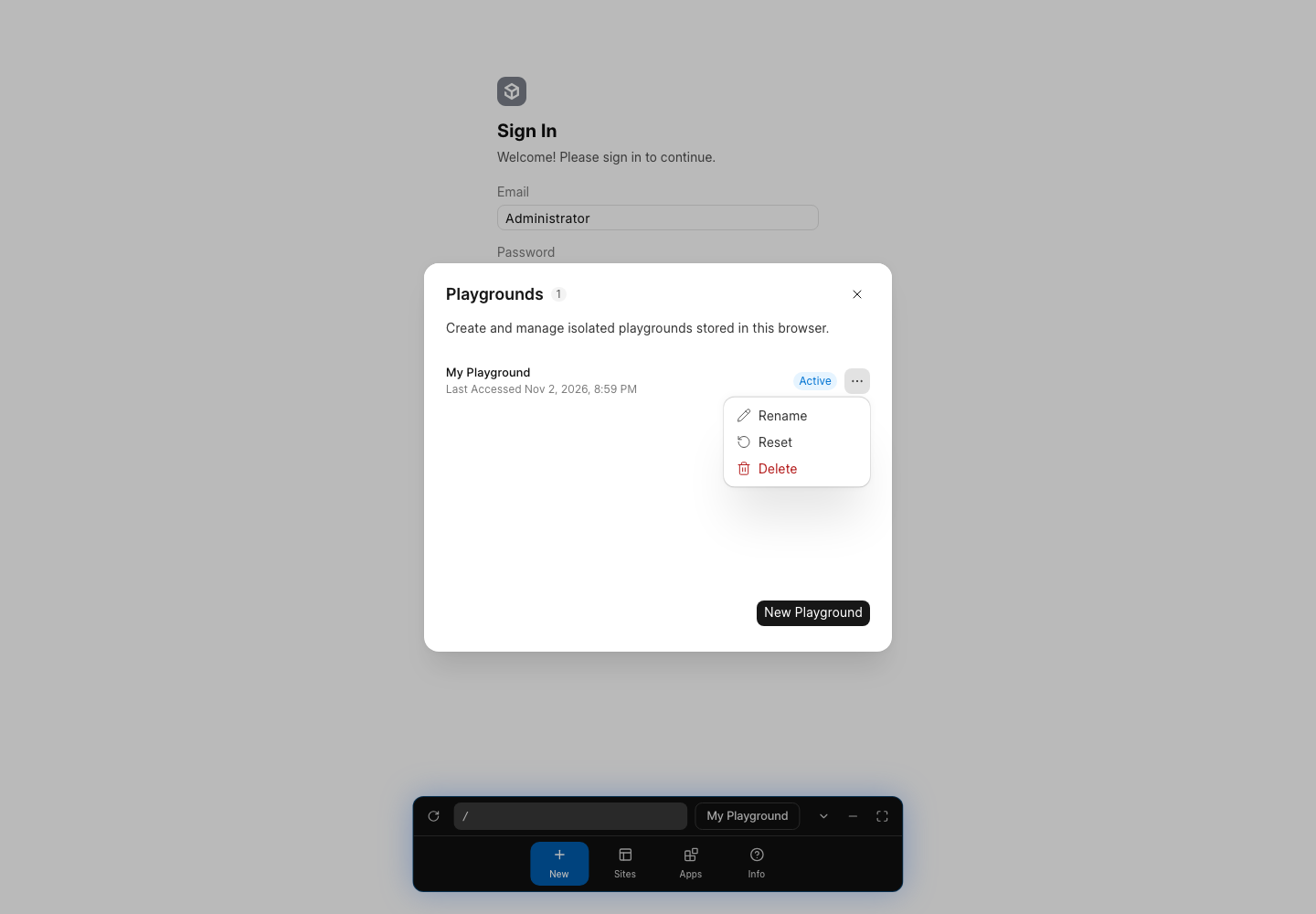
Open Sites from the dock to switch playgrounds. Use the overflow menu beside a row to rename, reset, or delete it; use New Playground to create another isolated site.
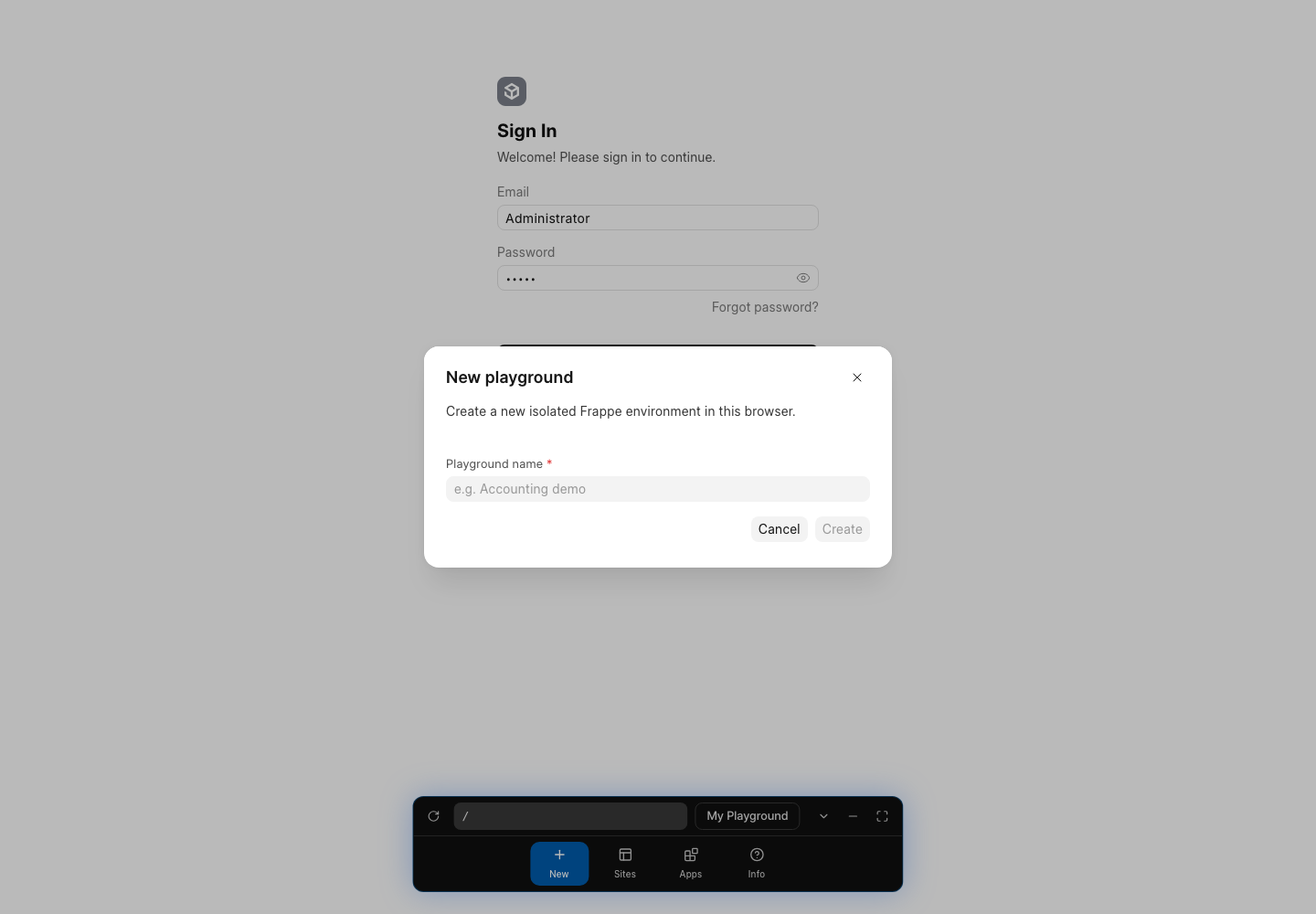
Select New in the dock, or New Playground in the Sites manager. Enter a label and select Create; the new site becomes active and boots from a fresh database.
Deletion can be blocked while another tab or worker still holds the IndexedDB database open. Close the playground using that instance and retry.
One active tab per instance
Different instances can run in different tabs, but avoid opening the same instance concurrently. The shared Service Worker keeps one active port per instance scope, so the most recent registration replaces the prior port. Both workers can also touch the same scoped IndexedDB database and shared IDBFS environment. Concurrent same-instance tabs are not a supported coordination model.
Storage layout
The shell stores these keys in localStorage:
| Key | Purpose |
|---|---|
frappe_playground_instances | JSON catalog containing IDs, names, and timestamps |
frappe_playground_instance_id | Active instance ID |
frappe_playground_country | Cached country used by automated onboarding |
The instance catalog has no explicit schema version. Startup filters malformed entries but does not perform general catalog migrations. A legacy installation with only an active instance ID is adopted as My Playground so its existing scoped data remains reachable.
Every instance owns an IndexedDB database named:
frappe_playground_db_<instance-id>Its files object store contains site1.db, cookie_jar.json, site_files, installed_apps, and a small save manifest. Site file snapshots cover only the active site’s public/files and private/files trees.
Persistence timing
Backend requests are executed serially. After a request that can mutate state (POST, PUT, PATCH, DELETE, and other non-GET/HEAD/OPTIONS methods), the worker checkpoints SQLite’s WAL, snapshots the database and site files, exports the cookie jar, and writes the state to IndexedDB. A normally read-only request is also persisted when its response contains Set-Cookie. Other GET, HEAD, and OPTIONS requests skip the snapshot.
App install and uninstall operations use a separate serialized mutation chain and an in-memory database backup for rollback. Ordinary backend requests wait for that chain before executing.
Data ownership
All mutable data stays in the browser profile for that origin. The project currently has no export/import UI, remote sync, multi-device continuity, or server-side backups. Clearing site data, using private browsing, changing origins (including scheme, hostname, or port), or a browser eviction can remove or hide instances.